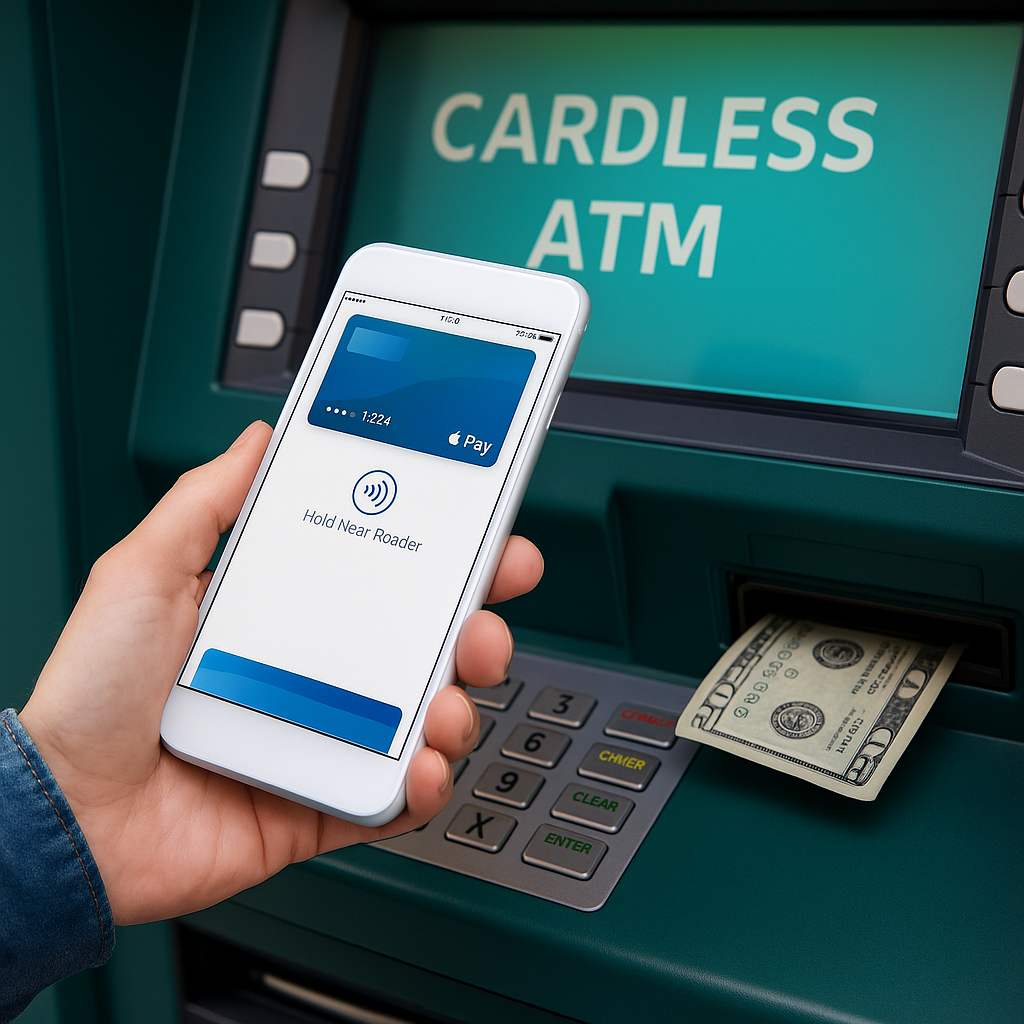
Cardless ATMs are changing how people access cash. Instead of swiping or inserting a debit card, you can now use your phone’s wallet or your bank’s mobile app to withdraw money safely and quickly. This guide explains how cardless ATMs work, which banks offer them, and why they’re one of the most secure ways to get cash — no matter where you are.
What Is a Cardless ATM?
A cardless ATM allows you to complete typical transactions — such as withdrawing cash or checking balances — without using a physical debit card. These machines use technologies like NFC (near-field communication), QR codes, or temporary access codes to verify your identity. The process is quick, touch-free, and ideal for people who prefer mobile banking or digital wallets.
If you are new to ATM withdrawals, it can also help to understand typical ATM withdrawal limits, which vary depending on the bank, ATM network, and your account settings.
How Cardless ATM Technology Works
When you initiate a cardless transaction, the ATM communicates securely with your bank’s servers to confirm your account and authorize the withdrawal. Here’s how the main systems work:
- NFC (Near-Field Communication): Tap your smartphone near the ATM’s contactless reader to authenticate via your mobile wallet or bank app.
- QR Codes: Scan a code displayed on the ATM screen using your banking app to approve the transaction.
- One-Time Access Codes: Generate a temporary code inside your bank’s mobile app and enter it at the ATM.
These methods eliminate the need for physical cards, reducing the risk of skimming or theft. As long as your phone is charged, you can securely withdraw money anywhere that supports cardless access.
If you encounter issues during a transaction, you may also want to review common causes of ATM declined transactions and what to do if the machine rejects your withdrawal.
Cardless ATM Options by Bank
Most major banks and credit unions now support cardless withdrawals. While features vary, the overall process is similar across institutions. Here are a few common examples:
- Chase Bank: Tap your phone at Chase ATMs with “Cardless Access” labels using the Chase Mobile app.
- Wells Fargo: Generate an 8-digit code in the Wells Fargo app and enter it on the ATM keypad.
- Bank of America: Supports contactless withdrawals using Apple Pay, Google Pay, or Samsung Pay.
- PNC and Capital One: Offer QR-based or mobile-wallet-based ATM access.
Withdrawal limits may vary by institution. For example, you can review the daily limits for PNC ATM withdrawals or see the policies for Navy Federal ATM limits if you bank with a credit union.
According to NerdWallet, the number of U.S. banks offering cardless ATM access has grown steadily every year — a trend expected to continue as more consumers adopt mobile-first banking habits.
Using Apple Pay or Google Pay at the ATM
Apple Pay and Google Pay integrate seamlessly with most contactless ATMs. After adding your debit card to your digital wallet, simply hold your phone near the NFC symbol on the ATM. Approve the transaction with Face ID, Touch ID, or your phone’s passcode. The ATM then verifies your account and dispenses cash — no physical card needed.
For a list of supported locations, check our detailed guide on finding cardless ATMs near you. It includes major banks and networks that support Apple Pay, Google Pay, and mobile banking apps nationwide.
Security Benefits of Cardless Withdrawals
Cardless ATMs reduce exposure to common fraud methods like card skimming and PIN theft. Because your phone uses encryption and tokenization, your real debit card number is never shared with the ATM. Each transaction is authenticated using biometrics or secure app login, adding layers of protection.
- Prevents card cloning and magnetic-stripe theft.
- Requires biometric or PIN verification before each withdrawal.
- Generates unique, one-time transaction tokens.
- Allows instant freeze or disable options if your phone is lost.
These protections also help reduce risks associated with card theft or ATM skimming. If a machine ever captures your card, review our guide on what to do if an ATM keeps your card.
ATM Accessibility and Inclusive Features
Modern ATMs — including many cardless models — are designed with accessibility features that help people with disabilities complete transactions safely and independently.
- Audio guidance systems with headphone jacks
- Tactile keypads for visually impaired users
- Lower screen height for wheelchair accessibility
- Voice prompts and screen-reader compatibility
Because cardless access relies on smartphones and banking apps, many users find it easier to navigate compared with traditional ATM card systems. Accessibility upgrades continue to improve as banks modernize their ATM networks.
How to Set Up Cardless Access
- Download your bank’s mobile app and enable cardless or digital wallet features.
- Add your debit card to Apple Pay, Google Pay, or Samsung Pay.
- Locate nearby compatible ATMs using your bank’s ATM locator or digital wallet map.
- Confirm your withdrawal limits and security settings before use.
If you want to reduce fees when withdrawing cash, it is also helpful to review our guide on how to avoid ATM fees and identify ATM networks that do not charge surcharges.
Common Questions About Cardless ATMs
Do I need an internet connection? In most cases, yes — your mobile app must connect to verify transactions. However, NFC withdrawals with pre-authorized wallets can sometimes work offline.
Is there a fee for cardless withdrawals? No additional fees apply beyond your standard ATM network terms. In-network withdrawals are typically free.
Can I deposit cash or checks cardlessly? Some banks, like Wells Fargo and PNC, now allow cardless deposits at select ATMs — a feature expected to expand.
The Future of Cardless ATMs
As banks continue to upgrade their ATM networks, cardless technology will eventually become standard. Future versions will use AI-based fraud detection, facial recognition, and even digital ID verification for faster, more personalized service. For now, NFC and mobile wallet access remain the easiest and most secure ways to withdraw cash without a card.
Final Thoughts
Cardless ATMs combine convenience with cutting-edge security, making them an essential part of modern banking. Whether you prefer using Apple Pay, Google Pay, or your bank’s mobile app, you can safely access your money anytime. If you’re ready to try it, find compatible locations using your preferred digital wallet or locate a cardless ATM near you today.